
MacBook Air M4 Specifications: Complete Technical Specs Guide
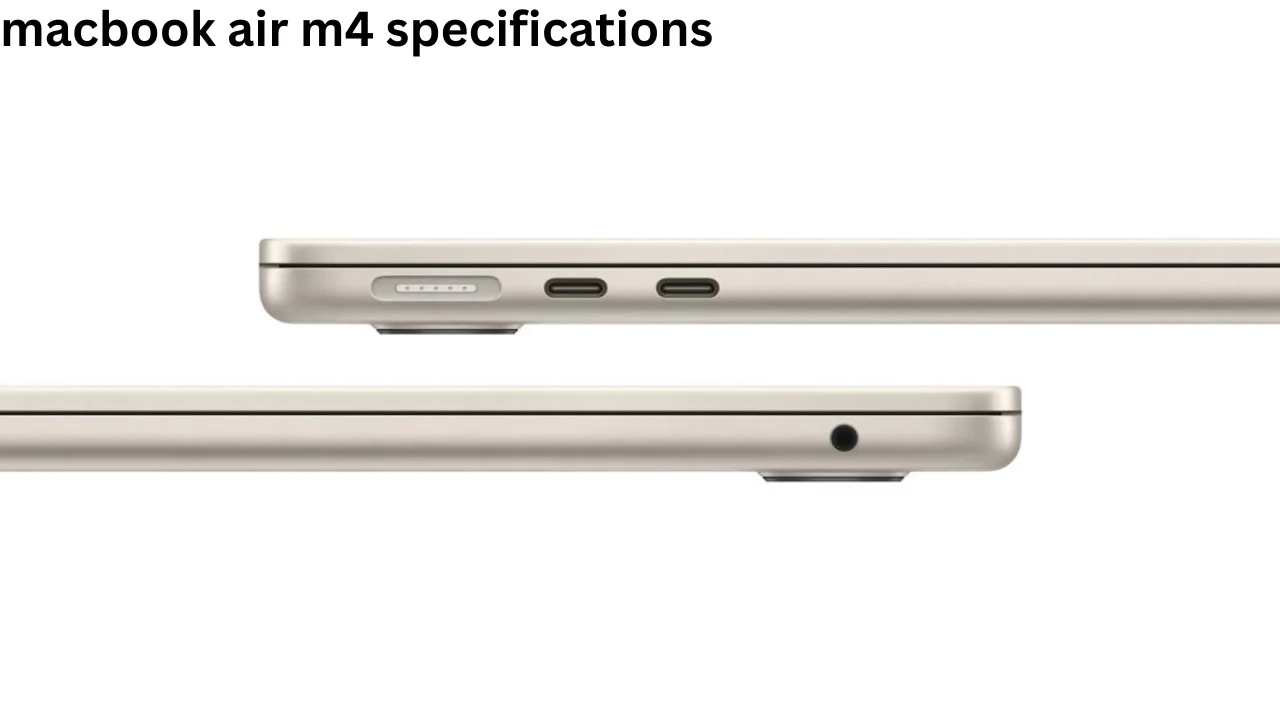
Apple’s MacBook Air remains one of the most popular thin and light laptops for students, professionals, creators, and everyday users. The macbook air m4 specifications bring a faster Apple M4 chip, improved memory options, a better camera, stronger external display support, and the same portable design that made earlier MacBook Air models popular.
Apple introduced the M4 MacBook Air in 2025 in both 13-inch and 15-inch sizes. Both models offer strong everyday performance without using a cooling fan, which helps them stay quiet during work, study, entertainment, and light creative tasks.
You May Like: how old are sixth graders
MacBook Air M4 Specifications at a Glance
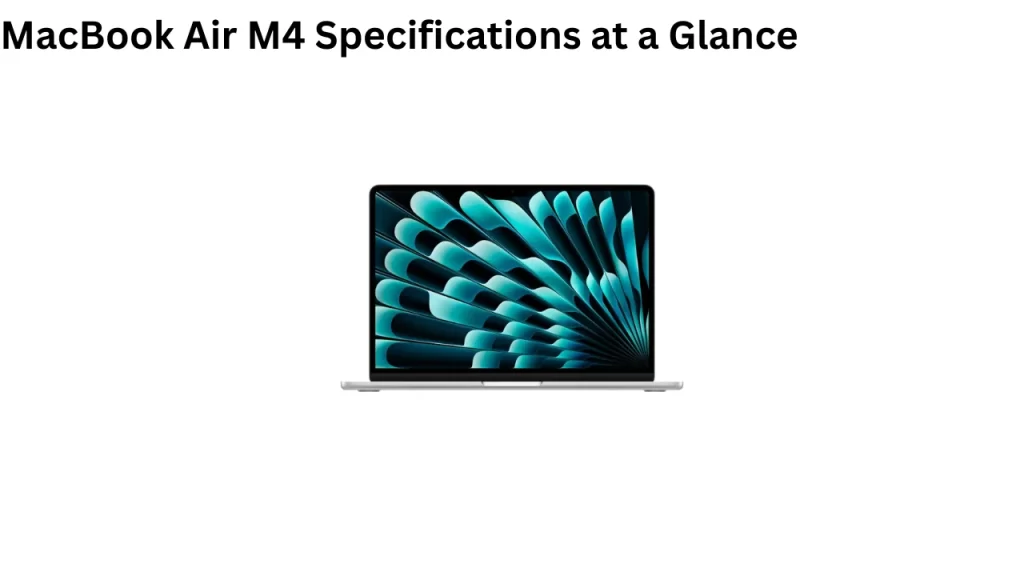
The M4 MacBook Air offers many upgrades while keeping its simple design. Buyers can choose between a smaller 13.6-inch model and a larger 15.3-inch version.
| Specification | 13-inch MacBook Air M4 | 15-inch MacBook Air M4 |
|---|---|---|
| Processor | Apple M4 | Apple M4 |
| CPU | 10-core | 10-core |
| GPU | 8-core or 10-core | 10-core |
| Neural Engine | 16-core | 16-core |
| Memory | 16GB, 24GB, or 32GB | 16GB, 24GB, or 32GB |
| Base Storage | 256GB SSD | 256GB SSD |
| Maximum Storage | 2TB SSD | 2TB SSD |
| Display | 13.6-inch Liquid Retina | 15.3-inch Liquid Retina |
| Resolution | 2560 × 1664 | 2880 × 1864 |
| Brightness | 500 nits | 500 nits |
| Camera | 12MP Center Stage | 12MP Center Stage |
| Wireless | Wi-Fi 6E, Bluetooth 5.3 | Wi-Fi 6E, Bluetooth 5.3 |
| Battery | Up to 18 hours video | Up to 18 hours video |
| Ports | 2 Thunderbolt 4, MagSafe 3, headphone jack | 2 Thunderbolt 4, MagSafe 3, headphone jack |
Apple provides a 10-core CPU on both sizes. The smaller model can use either an 8-core or 10-core GPU, while the 15-inch model comes with a 10-core GPU.
MacBook Air M4 Specifications for Processor and Performance
The biggest change comes from the Apple M4 chip. It includes a 10-core CPU with four performance cores and six efficiency cores.
Performance cores handle demanding jobs, while efficiency cores deal with lighter work while using less power. This design helps the laptop stay responsive without wasting battery power.
The M4 also offers up to a 10-core GPU. The base 13-inch configuration can come with an 8-core GPU, while higher configurations use 10 GPU cores.
Apple has also added hardware-accelerated ray tracing. This technology can improve realistic lighting, shadows, and reflections in supported games and 3D applications.
Memory bandwidth reaches 120GB/s, allowing the processor and graphics system to access data quickly. This matters when users open large files, edit photos, work with video, or run many applications together.
16-Core Neural Engine and AI Performance
The MacBook Air M4 contains a 16-core Neural Engine designed for machine-learning and artificial intelligence workloads.
It helps with tasks such as image processing, voice recognition, intelligent writing features, video effects, and other AI-based tools.
Apple also designed the M4 generation to support Apple Intelligence features. Availability of individual AI tools may depend on language, country, software version, and other requirements.
For normal users, these improvements mean the MacBook can complete supported smart features directly on the device while keeping performance smooth.
MacBook Air M4 Display Specifications
Apple offers two display sizes, making it easier for buyers to choose based on portability or screen space.
The 13-inch model has a 13.6-inch Liquid Retina display with a native resolution of 2560 × 1664 pixels. It provides a pixel density of 224 pixels per inch.
The larger model has a 15.3-inch Liquid Retina display with a 2880 × 1864 resolution. It also delivers 224 pixels per inch.
Both displays can reach 500 nits of brightness. They support one billion colors, Wide Color P3, and True Tone technology.
True Tone changes the display’s color temperature based on the surrounding light. This can make the screen more comfortable for reading and long work sessions.
The Liquid Retina panel offers sharp text and strong color quality. It works well for web browsing, office work, streaming, photo editing, design work, and general content creation.
MacBook Air M4 RAM and Unified Memory
One of the most useful improvements is the starting memory configuration.
The MacBook Air M4 starts with 16GB of unified memory, giving users more room for multitasking than older entry-level MacBook Air configurations.
Buyers can configure the laptop with 24GB or 32GB of unified memory.
Apple’s unified memory architecture allows the CPU, GPU, and other parts of the chip to access the same memory pool.
For everyday browsing, documents, video calls, and streaming, 16GB should work well for many users. People who regularly edit larger videos, work with development software, or keep many demanding apps open may benefit from 24GB or 32GB.
Storage Options
The base MacBook Air M4 includes a 256GB SSD.
Users who need more space can select 512GB, 1TB, or 2TB SSD configurations.
A 256GB drive can work for users who mainly store documents online and use cloud services. However, video editors, photographers, developers, and users with large application libraries may prefer at least 512GB.
The SSD also helps macOS start quickly and allows applications and files to load without long delays.
M4 Media Engine
Apple includes a dedicated Media Engine inside the M4 chip.
It supports hardware acceleration for H.264, HEVC, ProRes, and ProRes RAW. Apple also includes video encode and decode engines as well as ProRes encode and decode support.
The M4 Media Engine also supports AV1 decoding.
These features make the MacBook Air useful for content creators who work with common video formats. The dedicated hardware can process supported media more efficiently than relying only on the CPU.
MacBook Air M4 External Display Support
External monitor support is another important part of the macbook air m4 specifications.
The M4 MacBook Air can run its built-in display while also supporting up to two external displays with resolutions up to 6K at 60Hz.
This is useful for people who create a desktop-style setup at home or in an office.
A user can connect extra screens for spreadsheets, coding, design programs, browser windows, communication tools, and other work without giving up the laptop’s built-in screen.
Thunderbolt 4 and Available Ports
The MacBook Air M4 keeps a simple port selection.
It includes two Thunderbolt 4 USB-C ports, one MagSafe 3 charging connection, and a 3.5mm headphone jack.
Thunderbolt 4 offers transfer speeds of up to 40Gb/s and supports USB 4.
Users can connect compatible external storage, displays, docks, hubs, and other accessories through these ports.
MagSafe 3 allows users to charge the laptop without taking up either Thunderbolt connection. The magnetic cable can also disconnect more easily if someone accidentally pulls it.
12MP Center Stage Camera
Apple upgraded the camera to a 12MP Center Stage camera.
It supports 1080p HD video recording as well as Desk View. An advanced image signal processor also helps improve video quality.
Center Stage can automatically adjust the frame to help keep a person visible during supported video calls.
This makes the MacBook Air more practical for online classes, business meetings, remote work, interviews, and video chats.
Desk View can also provide a view of the user’s desk area, making it useful for demonstrations and supported presentations.
Speakers and Audio Quality
The two MacBook Air sizes have slightly different audio systems.
The 13-inch model uses a four-speaker sound system, while the 15-inch version has a six-speaker sound system with force-cancelling woofers.
Both models support Spatial Audio when playing compatible Dolby Atmos content through their built-in speakers.
Apple also includes a three-microphone array with directional beamforming.
Voice Isolation and Wide Spectrum microphone modes can improve calls and recordings depending on the situation.
The headphone jack provides advanced support for high-impedance headphones, which can benefit users with professional or higher-end wired headphones.
Wireless Connectivity
Both M4 MacBook Air models support Wi-Fi 6E and Bluetooth 5.3.
Wi-Fi 6E can offer faster and more stable wireless connections when used with compatible networking equipment.
Bluetooth 5.3 allows users to connect wireless keyboards, mice, headphones, speakers, and other accessories.
These wireless options should provide enough performance for video calls, streaming, downloads, cloud services, and normal online work.
MacBook Air M4 Battery Life
Battery life remains one of the MacBook Air’s strongest features.
Apple rates both models for up to 18 hours of video streaming and up to 15 hours of wireless web browsing under its testing conditions. Real battery life can change based on brightness, software, network use, and workload.
The 13-inch model contains a 53.8Wh lithium-polymer battery.
The 15-inch MacBook Air uses a larger 66.5Wh battery.
Despite the different battery sizes, Apple gives both models similar battery-life estimates because the larger model also needs to power a bigger display.
Charging and Fast Charging
Charging accessories can depend on the configuration.
Some 13-inch configurations include a 30W USB-C power adapter, while certain higher configurations include a 35W dual-port USB-C adapter.
The 15-inch version comes with a 35W Dual USB-C Port power adapter according to Apple’s listed specifications.
The MacBook Air M4 also supports fast charging with a compatible 70W USB-C power adapter.
Fast charging can be useful for students and professionals who need additional battery power before leaving home, school, or the office.
Keyboard, Trackpad, and Touch ID
Apple continues to use its backlit Magic Keyboard on the MacBook Air M4.
It includes full-height function keys, arrow keys, and an ambient light sensor.
Touch ID allows users to unlock the Mac, approve supported purchases, and complete other secure actions using their fingerprint.
The Force Touch trackpad supports Multi-Touch gestures and pressure sensing. Its large surface gives users enough room for scrolling, switching apps, zooming, and controlling macOS.
MacBook Air M4 Design and Weight
Apple keeps the thin aluminum design that has become closely linked with the modern MacBook Air.
The 13-inch model measures about 1.13 cm thick and weighs around 1.24 kg or 2.7 pounds.
The 15-inch version is heavier because of its bigger body and display. It weighs around 3.3 pounds, while remaining thin enough to carry in many laptop bags.
The fanless cooling design also means there is no fan noise during normal use.
However, users who run demanding professional workloads for long periods may benefit more from a MacBook Pro with active cooling.
MacBook Air M4 Colors
Apple offers the M4 MacBook Air in four finishes:
Sky Blue, Silver, Starlight, and Midnight.
Sky Blue joined the lineup with the M4 generation and gives buyers another lighter color option.
The color does not change the internal hardware, so buyers can choose based on personal preference.
13-Inch vs 15-Inch MacBook Air M4
Choosing between the two models mostly depends on screen size and portability.
The 13-inch version works well for students, travelers, remote workers, and people who regularly carry their laptop.
The 15-inch version gives users more space for multitasking, spreadsheets, editing tools, and entertainment.
Performance between similarly configured versions should be close because both use the M4 chip. The 15-inch model, however, starts with a 10-core GPU and offers a stronger six-speaker system.
| Feature | 13-inch M4 | 15-inch M4 |
|---|---|---|
| Better for | Portability | Larger workspace |
| Screen | 13.6 inches | 15.3 inches |
| Base GPU | 8-core | 10-core |
| Speakers | Four-speaker | Six-speaker |
| Maximum RAM | 32GB | 32GB |
| Maximum SSD | 2TB | 2TB |
| Battery Rating | Up to 18 hours video | Up to 18 hours video |
Is the MacBook Air M4 Good for Students?
The M4 MacBook Air is a strong option for students because of its battery life, light design, quiet operation, and performance.
It can easily handle documents, presentations, research, online classes, web browsing, video meetings, coding, and entertainment.
The 13-inch version makes more sense for students who move between classrooms or carry their laptop every day.
Students working with design, programming, large projects, or many applications may want additional storage or memory.
Is the MacBook Air M4 Good for Video Editing?
The M4 chip and dedicated Media Engine make the laptop capable of handling video editing.
It supports hardware acceleration for major formats including H.264, HEVC, ProRes, ProRes RAW, and AV1 decoding.
Users can edit short-form social media videos, YouTube projects, and many 4K projects depending on the software and project complexity.
Professional editors working with very large timelines, heavy effects, or long rendering sessions may still prefer the active cooling and higher-end chips available in the MacBook Pro.
Is the MacBook Air M4 Good for Gaming?
The M4 GPU provides more graphics power than older MacBook Air generations.
Hardware-accelerated ray tracing can improve graphics in compatible games, while the 10-core GPU option provides additional performance for supported titles.
However, the MacBook Air remains a general-purpose thin laptop rather than a dedicated gaming system.
Game availability also depends on macOS support, so users should check whether their favorite games offer native Mac versions before buying the laptop mainly for gaming.
Who Should Buy the MacBook Air M4?
The MacBook Air M4 makes the most sense for users who want a fast laptop without the size and weight of a larger professional notebook.
It fits students, writers, office workers, business users, developers, photographers, content creators, and people who mainly use web-based tools.
Users who need long battery life and a quiet computer may find the fanless design especially useful.
People doing advanced 3D work, very heavy video production, complex engineering tasks, or long professional rendering jobs may get better performance from Apple’s MacBook Pro range.
Final Thoughts
The M4 MacBook Air combines a portable design with a faster chip, 16GB starting memory, improved camera, Thunderbolt 4, strong battery life, and support for two external 6K displays.
Buyers can choose between the portable 13.6-inch model and the larger 15.3-inch version while configuring memory up to 32GB and SSD storage up to 2TB.
Overall, the macbook air m4 specifications make this laptop suitable for everyday users as well as many students, professionals, developers, and content creators who want strong performance in a thin and quiet MacBook.
People Also Read: brian niccol starbucks changes